Upload one clear photo
Start with a single-person portrait where the eyes, nose, lips, and jawline are visible. A clean baseline makes later photo comparisons easier.
Upload a clear portrait to get an AI face score, then compare how different photos present your features, framing, and image quality.


Choose one clear face photo, or drag and drop an image here
Clear, well-framed portraits usually give an AI model more consistent visual information to compare.
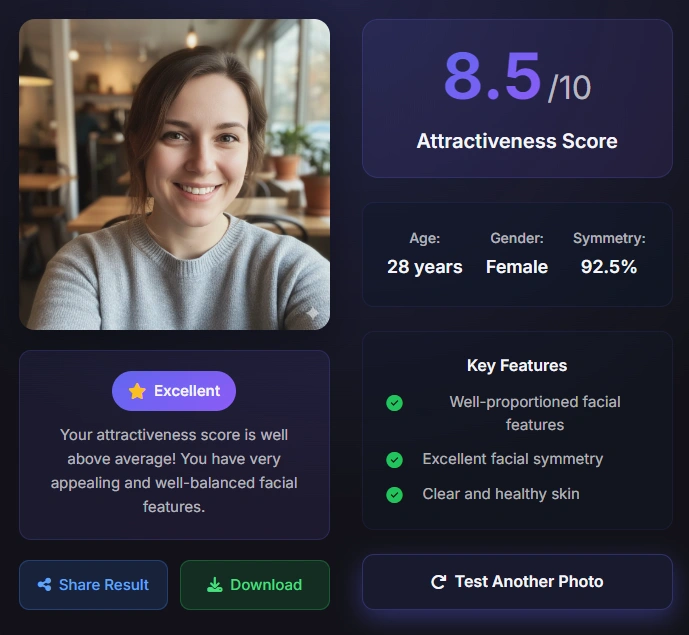
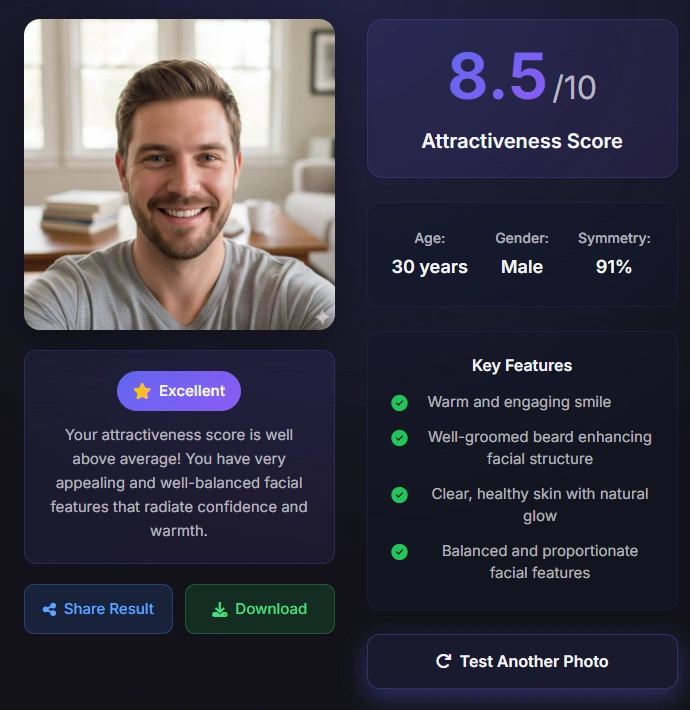
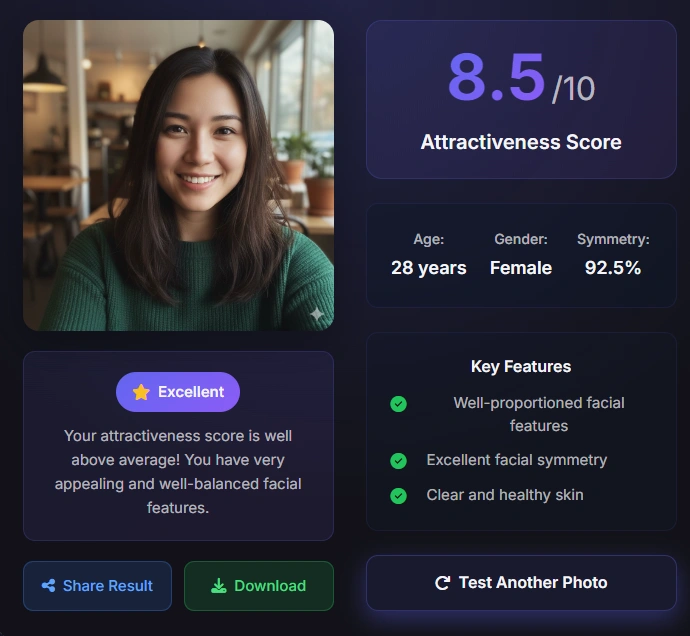
Start with a single-person portrait where the eyes, nose, lips, and jawline are visible. A clean baseline makes later photo comparisons easier.
The tool reads visible cues such as balance, spacing, expression, lighting, and framing. It scores the submitted image, not your permanent identity.
Upload another strong photo when you want to choose between profile pictures. Look for repeatable presentation patterns instead of chasing one perfect number.
This page is built for profile picture attractiveness feedback: upload a portrait, receive a score, and compare photos under similar conditions.
A photo attractiveness test helps when the question is about the image in front of you. A dating-app photo, social avatar, or headshot can look different depending on crop, camera distance, expression, and light. The tool gives you a repeatable way to inspect those differences.
The result combines visible face cues with presentation cues. It may consider landmark spacing, apparent balance, facial proportions, image clarity, and the way the face is framed. The output is a model estimate, so it should support a photo decision rather than define your worth.
A JPG, PNG, or WebP image with one visible face, readable features, and enough space around the head for a stable crop.
A photo attractiveness score with estimated age, detected gender, visible symmetry, and feature notes returned by the analyzer.
Compare dating profile photos, social avatars, casual selfies, or professional headshots before choosing which image to publish.
Use a single-person image so the model is less likely to read the wrong face.
Keep the eyes, nose, mouth, jawline, and face outline reasonably clear.
Soft, even light makes a comparison more useful than deep shadows or bright glare.
Heavy beauty filters can change the image cues and make scores harder to interpret.
A stable comparison starts with stable inputs. Small changes in the photo can move a score even when the person has not changed.
Camera distance matters because a very close selfie can exaggerate the nose or lower face. A tilted phone can also make one side of the face look higher. When possible, step back, keep the camera near eye level, and crop after taking the photo.
Expression and light matter too. A relaxed expression, soft daylight, and clear focus generally make facial landmarks easier to read than a dark image, strong side light, motion blur, or a heavily smoothed filter.
A recent front-facing portrait with natural expression, even light, and minimal edits.
Keep the crop, distance, and general lighting similar when testing two possible profile pictures.
A new score is expected when the image is blurrier, more angled, more filtered, or framed differently.
Crop the image to one person before testing.
Blocked landmarks can reduce the stability of a photo score.
Move the camera farther away and crop later to reduce perspective distortion.
Only upload images you have permission to process and are comfortable sending to an online tool.
The tool estimates how one uploaded image aligns with visual patterns learned by an AI model. That is narrower than measuring real-world attraction.
A typical photo analysis begins by finding the visible face and locating landmarks around the eyes, nose, lips, chin, and outer face shape. Those landmarks help the system estimate spacing, balance, and proportions in the submitted frame.
The model can also react to photo quality. Sharpness, contrast, shadows, camera angle, crop, and expression affect how clearly the face is presented. This is why the same person can receive different scores from two different pictures.
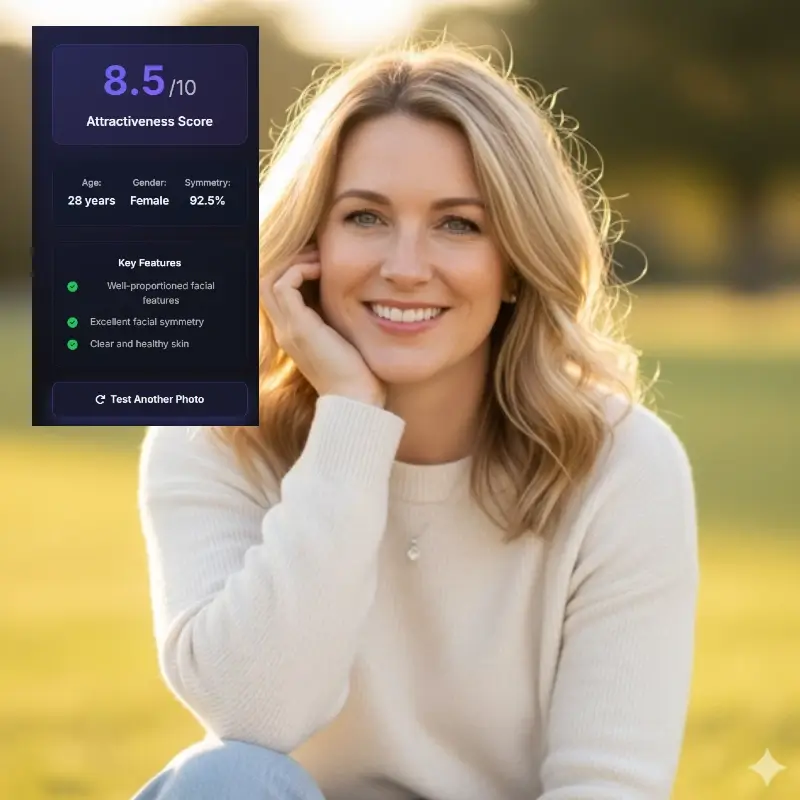
The model needs readable eyes, nose, lips, jawline, and face outline for a stable image estimate.
Spacing and left-right balance can influence a score, but they are only some of the visual cues in a photo.
Lighting, focus, camera distance, crop, and expression can make one profile picture easier to read than another.
Different tools can score the same photo differently because their data and weighting differ.
The score describes the submitted frame, not every way you look in real life.
Expression, styling, and light can change the visual impression without changing the person.
Use the score alongside your own judgment and the purpose of the photo.
A photo attractiveness test is most useful when you are choosing between several reasonable images, not when you are searching for a universal ranking.
Try a neutral portrait, a natural smile, and a casual photo with similar framing. If one image performs better across repeated tests, inspect eye visibility, camera height, background contrast, crop, and expression.
For a dating profile or social avatar, the highest score is not automatically the best choice. A photo also needs to feel authentic and match the setting.

Compare a small set of clear images, then choose the one that feels natural and communicates your personality.
Use photo scores as one signal when a square crop, small thumbnail, or bright background changes the first impression.
Prioritize a credible, relevant, well-lit headshot instead of optimizing for a number alone.
Do not compare a polished portrait with an unusable blurry snapshot.
The right photo for a dating profile may not be the right photo for work.
Look for lighting, crop, expression, and camera-distance patterns behind the result.
Repeatedly testing tiny variations can create noise instead of useful feedback.
A score is easiest to use when you know exactly what question it can answer and which questions it cannot.
The useful question is usually, "Which of these photos gives the model a clearer and more appealing visual read?" That is a photo-selection question, not a complete judgment about a person.
A low or average result does not prove that you are unattractive. It may reflect angle, light, expression, crop, or one model's preferences.
Use the page as a private comparison aid. Keep your own goals, comfort, privacy, and judgment in charge, and avoid uploading other people's images without permission.
The score shows how this image was read by this system.
Repeated differences across similar photos can reveal presentation choices worth reviewing.
Blur, filters, angles, and blocked features can make the output less stable or less meaningful.
It is an image-based tool that estimates a face score from one uploaded photo. It reads visible cues such as facial balance, proportions, clarity, lighting, and framing, so the result is best treated as feedback on that image.
Upload one clear photo with a single visible face, wait for the analysis to finish, and review the score and feature notes. You can then upload another comparable photo to inspect presentation differences.
Use a recent, front-facing portrait with even light, clear focus, a visible full face, and minimal filters. Avoid sunglasses, heavy blur, extreme crops, and photos with multiple people.
Yes. Comparing two or three strong profile pictures is one of the most practical uses. Keep the photos reasonably similar and consider clarity, authenticity, and context as well as the score.
No. It estimates how one still image aligns with one model's visual patterns. Personality, confidence, movement, warmth, chemistry, personal taste, and real-world context are not fully represented.
Lighting, camera distance, head angle, crop, expression, focus, filters, and background contrast can change how clearly the model reads the face. A different score often reflects a different image condition.
For a cleaner comparison, use a single-person photo. Multiple faces can make it unclear which face should be scored or reduce the stability of the result.
Yes. Upload only photos you are comfortable processing and have permission to use. Review the site's Privacy Policy for formal information about image handling, data use, and protection.